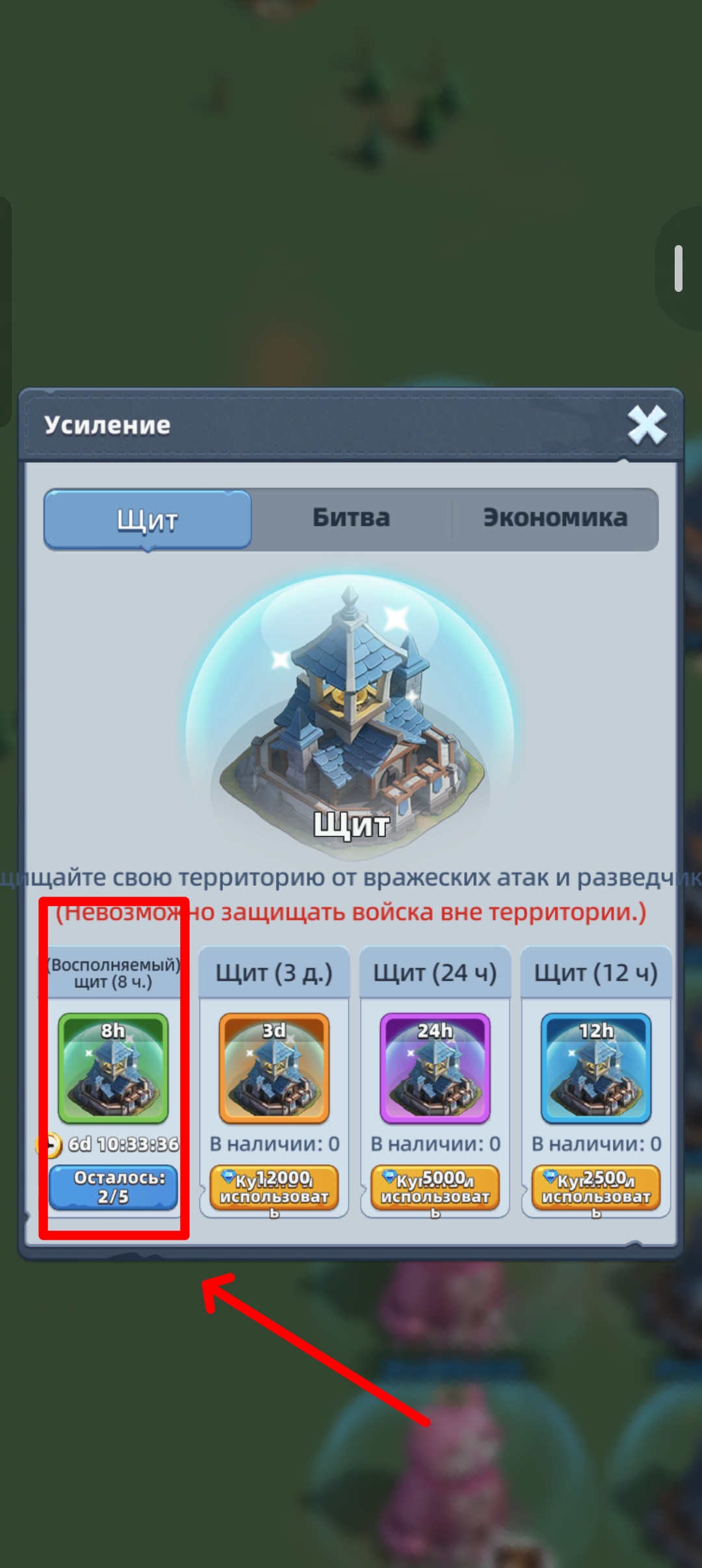
To protect your city from attacks (especially important during KvK), you need to activate a shield. Every week you’re given 5 free shields, 8 hours each.
Activating a shield
There are two main ways to do it:
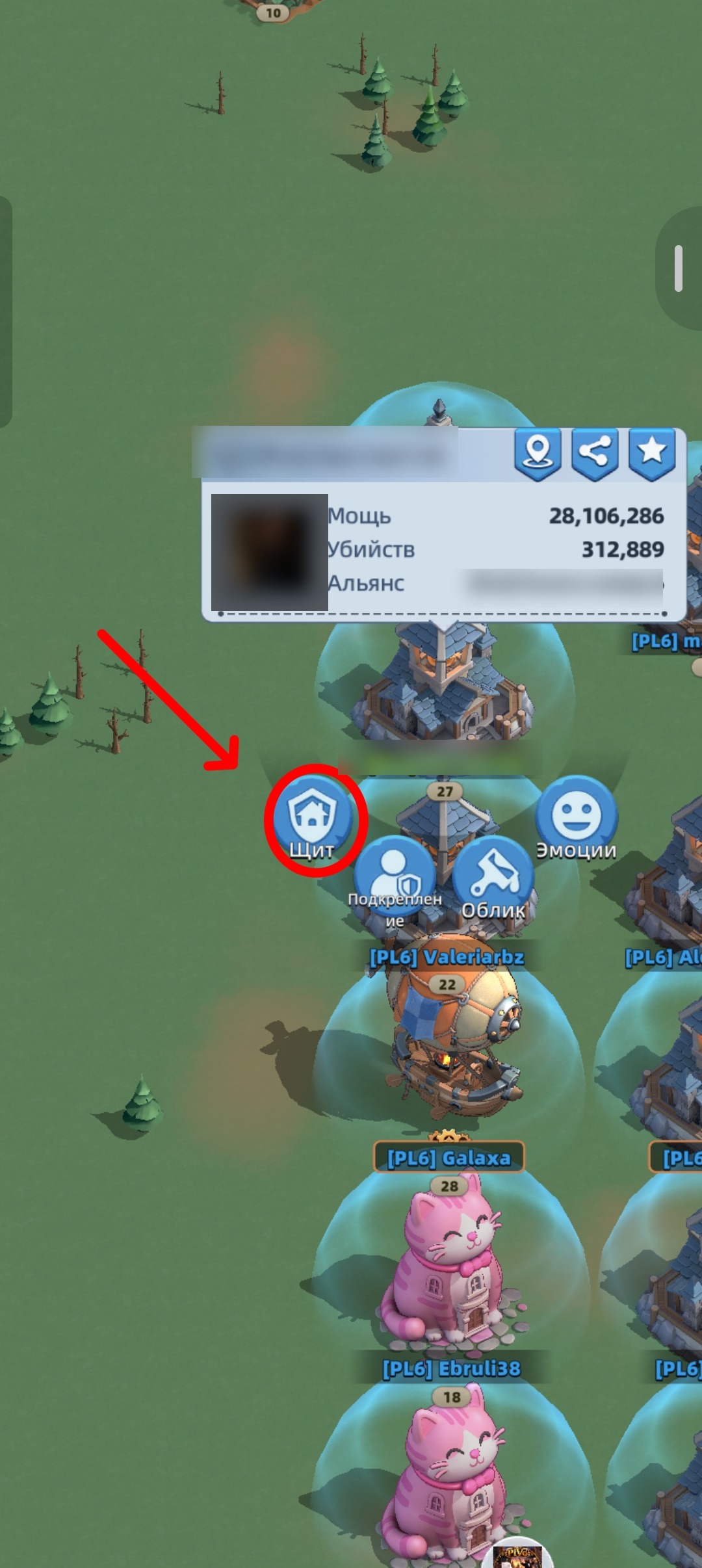
Method 1: Through the world map
-
Go to the overall open-world map.
-
Find your castle (Sanctuary) and tap it.
-
In the circular menu that appears, choose the “Shield” tab.
-
Activate an available shield from the list.
Method 2:
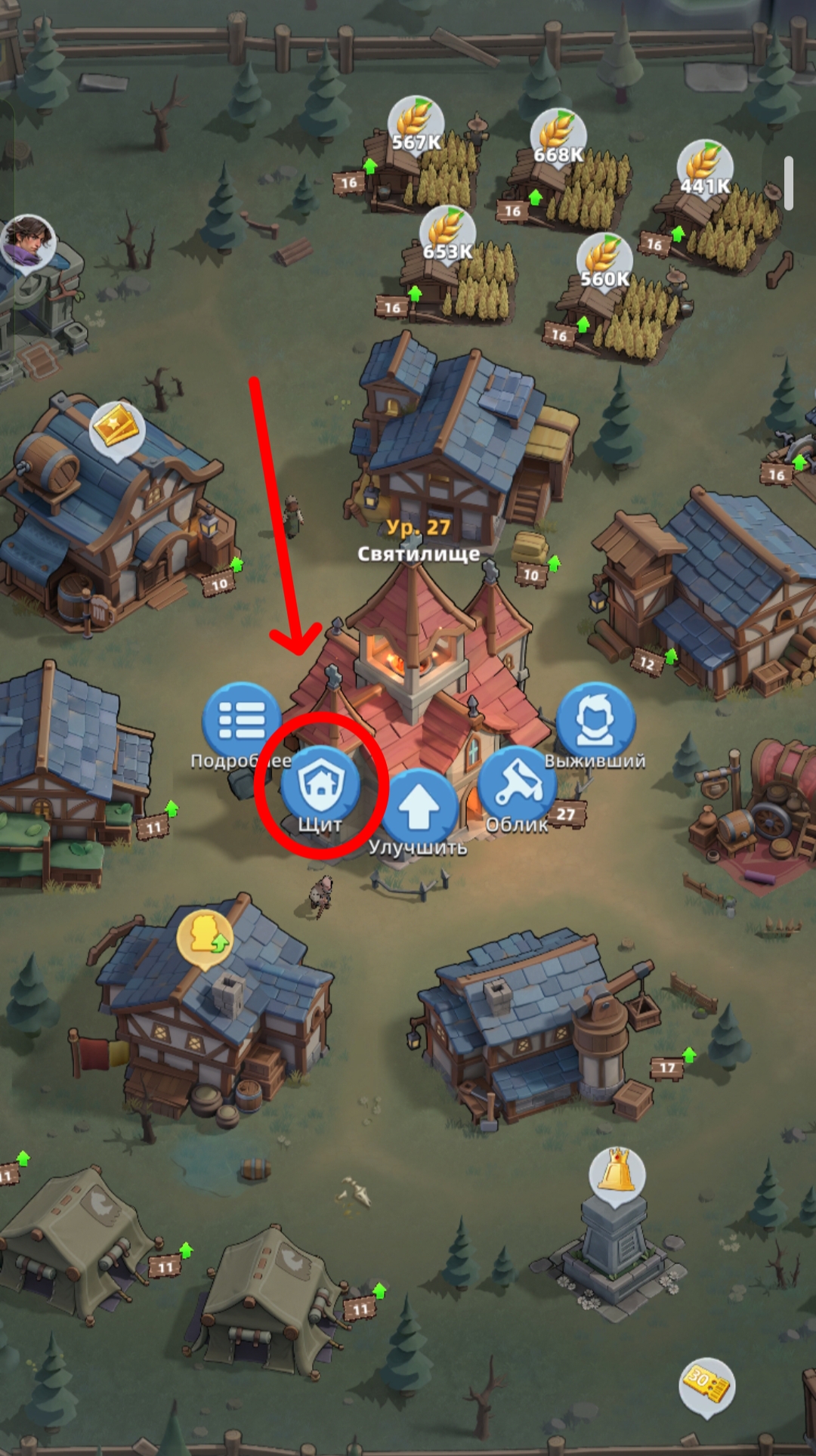
Through your inventory or City Walls.
You can open your City Walls tab, tap upgrade/defense, and pick a shield item.
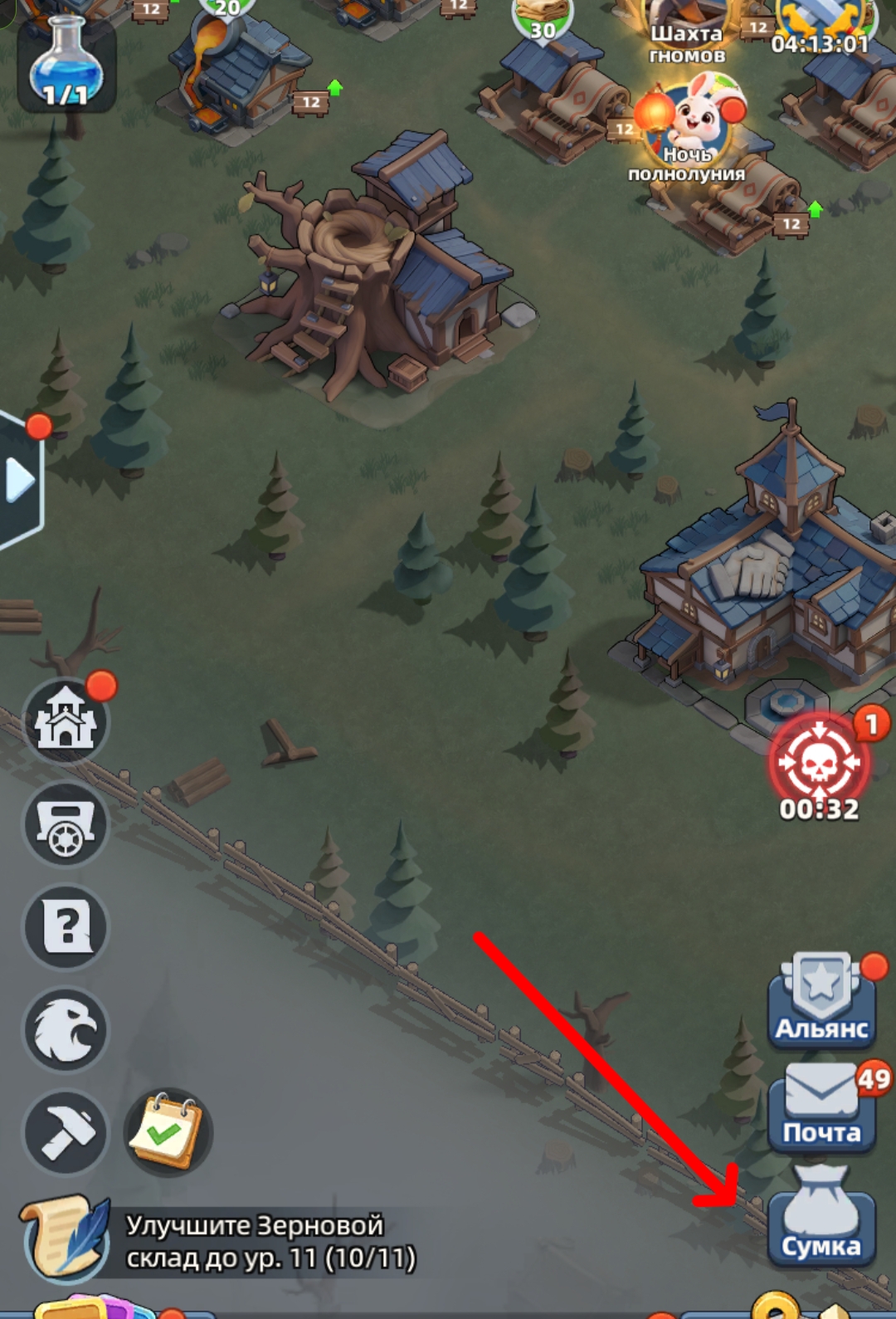
You can also activate shields straight from your BAG (Inventory), if you bought them in the alliance shop or with diamonds.
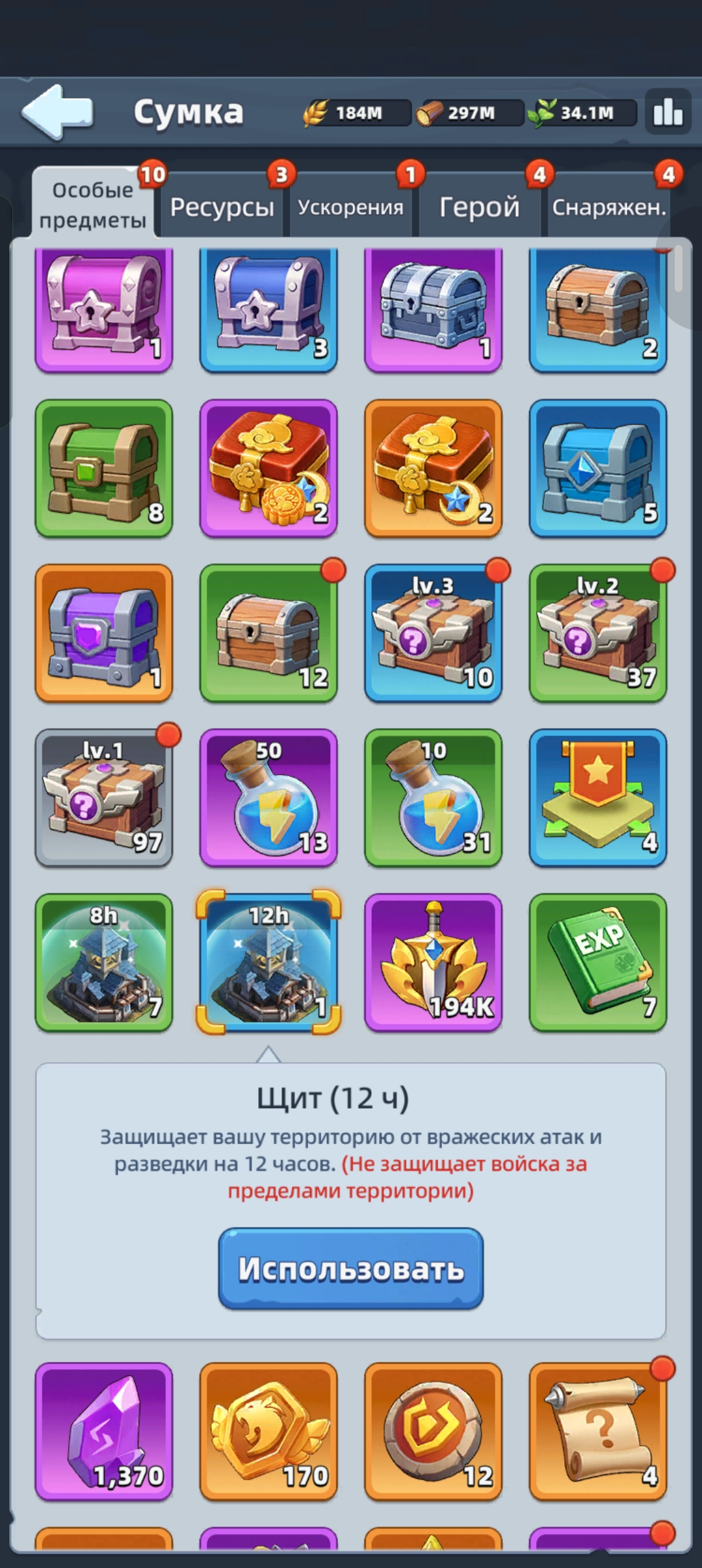
⚠️ Important rule: you can’t turn on a shield if you’ve just attacked another player or taken a military action (scouting). In that case you get a 15-minute “Battle Frenzy” debuff, during which your base stays vulnerable. Set shields ahead of time before raids or before logging off.
Important!!! Shields don’t protect against attacks from the roaming Blight, only from other players, and shields don’t protect troops outside your sanctuary’s territory (for example, if a squad is farming resources).
You can buy shields in the alliance shop or with crystals (diamonds).
Shield activation time doesn’t stack — a second shield simply overrides the first.