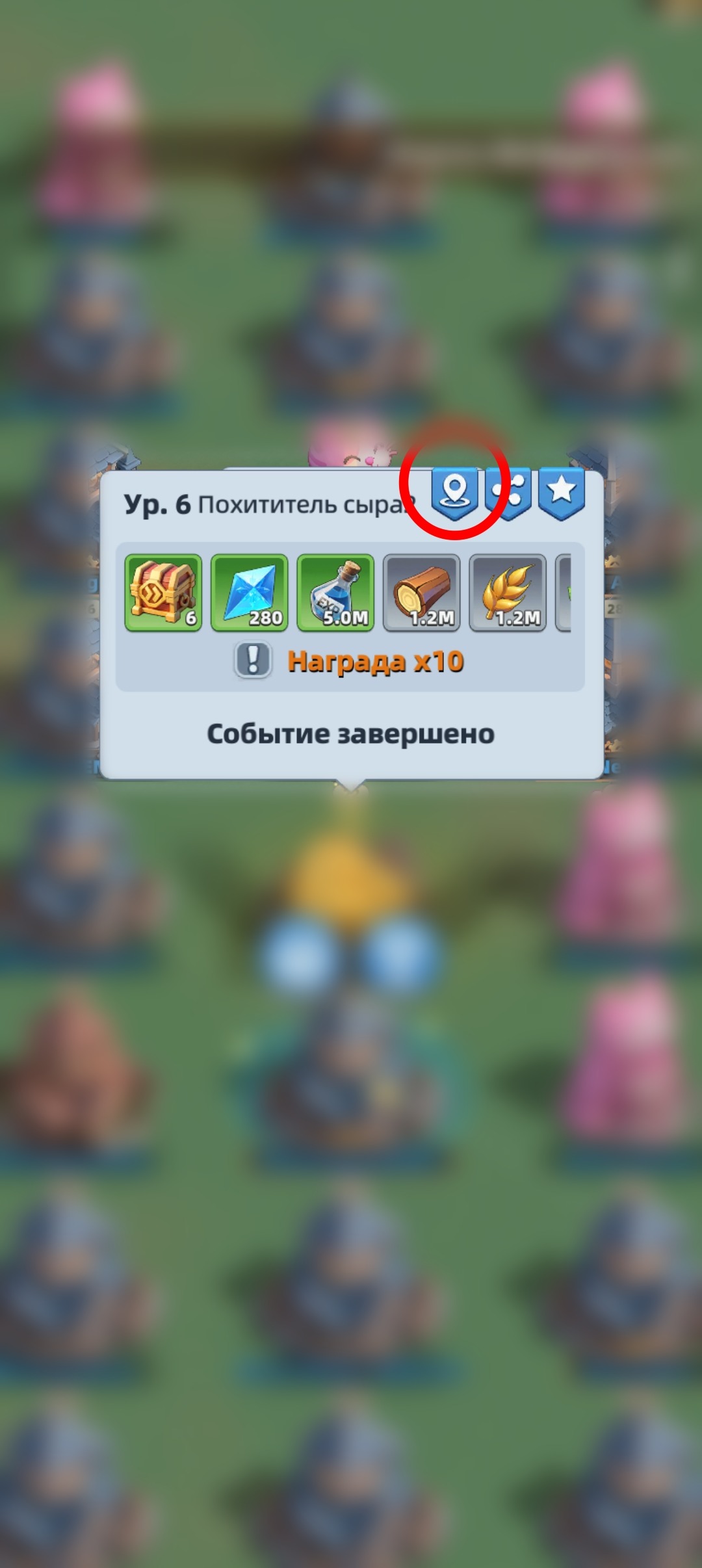
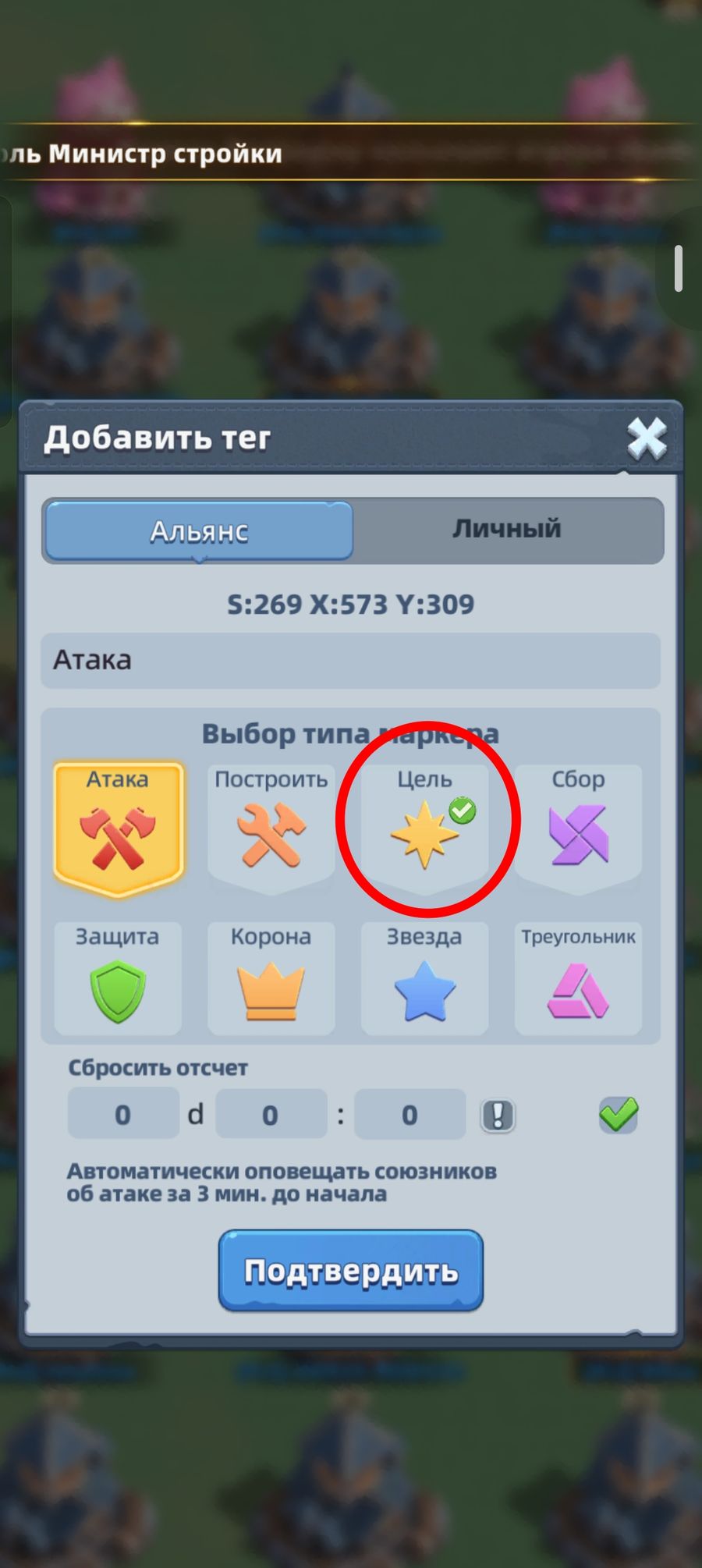
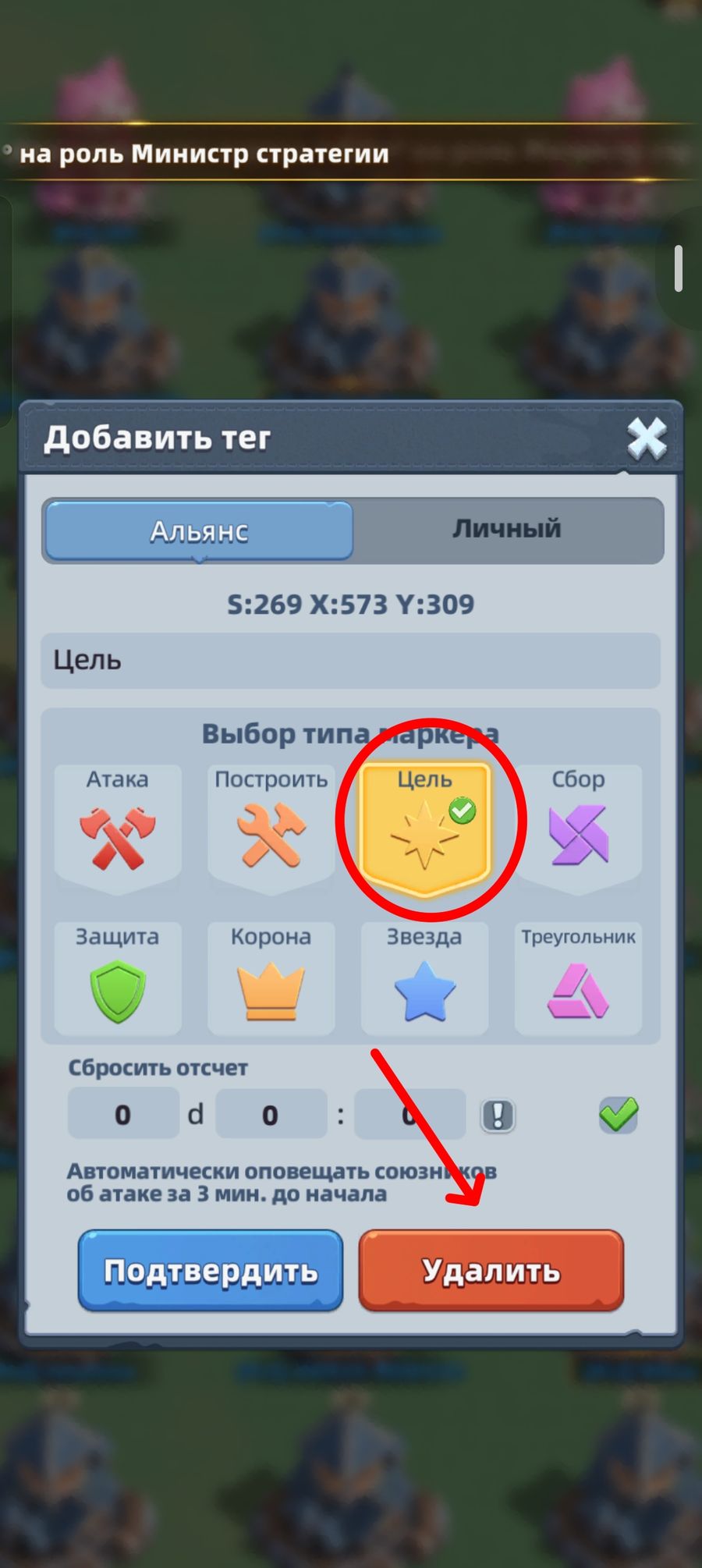
Placing markers makes it much easier to navigate the map. You can mark any object.
There are two kinds of markers: personal and alliance. Personal markers are visible only to you, alliance ones to the whole alliance (with an email notification).
To place a marker, pick the object you want to mark and tap it, then tap the marker icon and choose the tag you want to set (the icon itself doesn’t matter, it’s better to label the marker), then tap “Confirm”. If you’re placing a marker for an attack, you can also set the attack time.
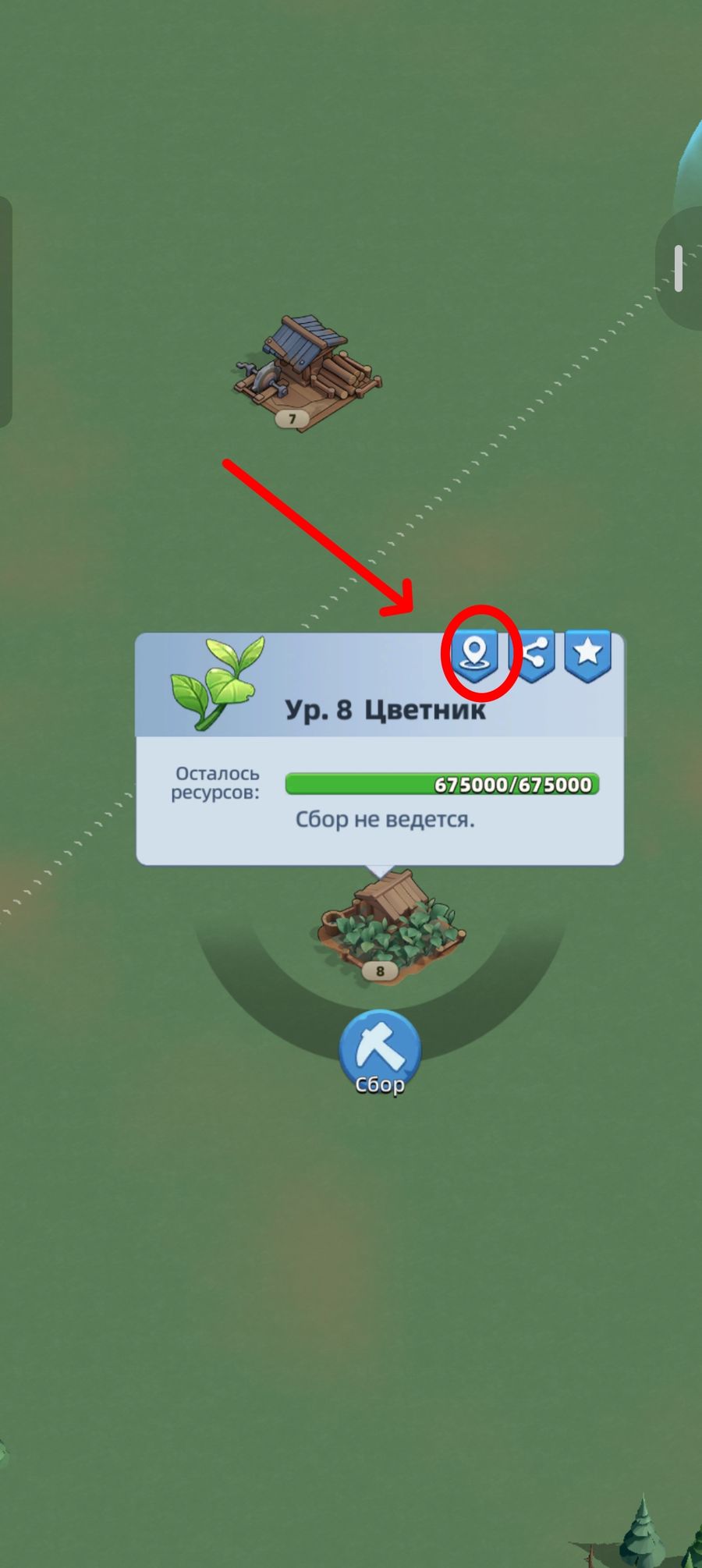
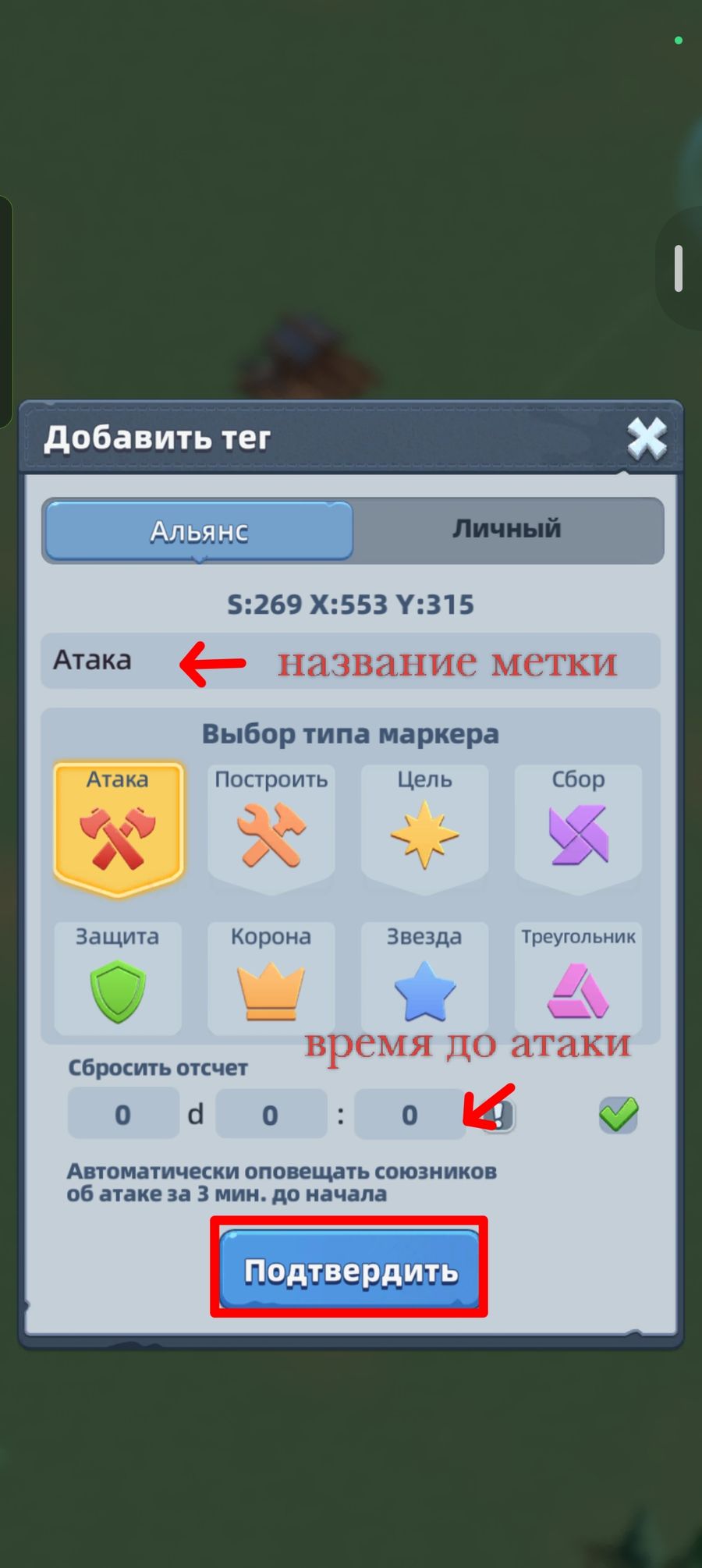
You can remove a marker the same way: tap any object, then the marker icon, “Add tag”, pick the marker you want to remove, tap it, and confirm the removal.